Yearly Totals or Annual Reports
How do I get yearly totals for my times overall or by project?
Last updated About 1 year ago
You can easily generate an annual report using a custom date range.
In the Time Sheets tab select the green date on the top left, tap “Custom” and choose “From - To “ to suit your need.
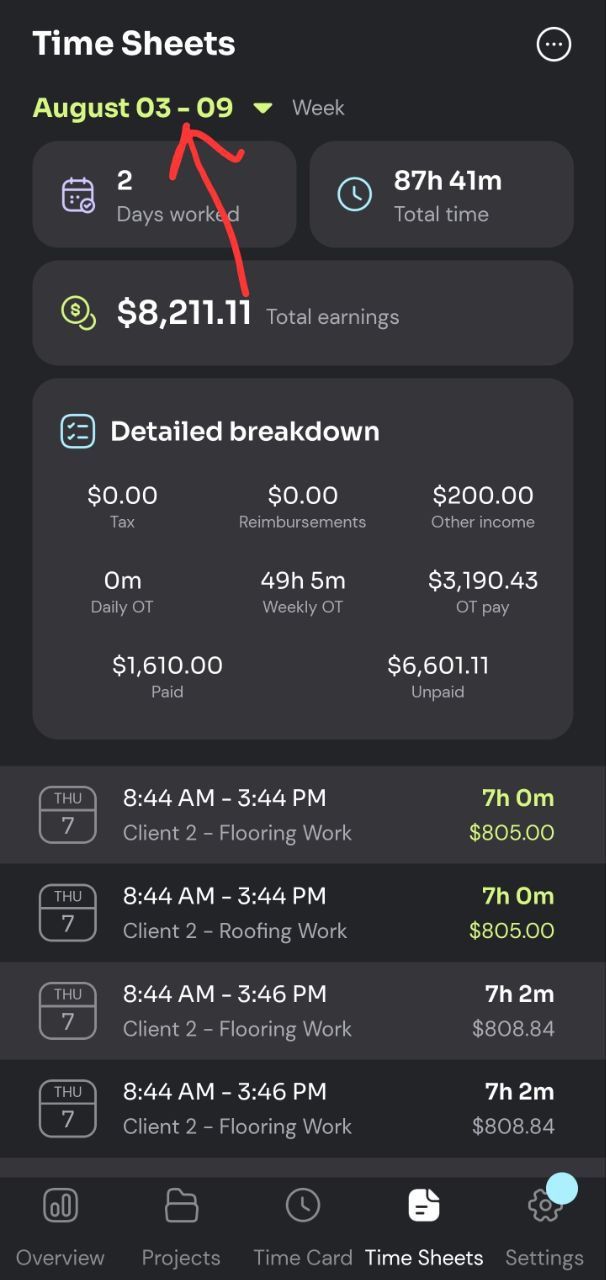
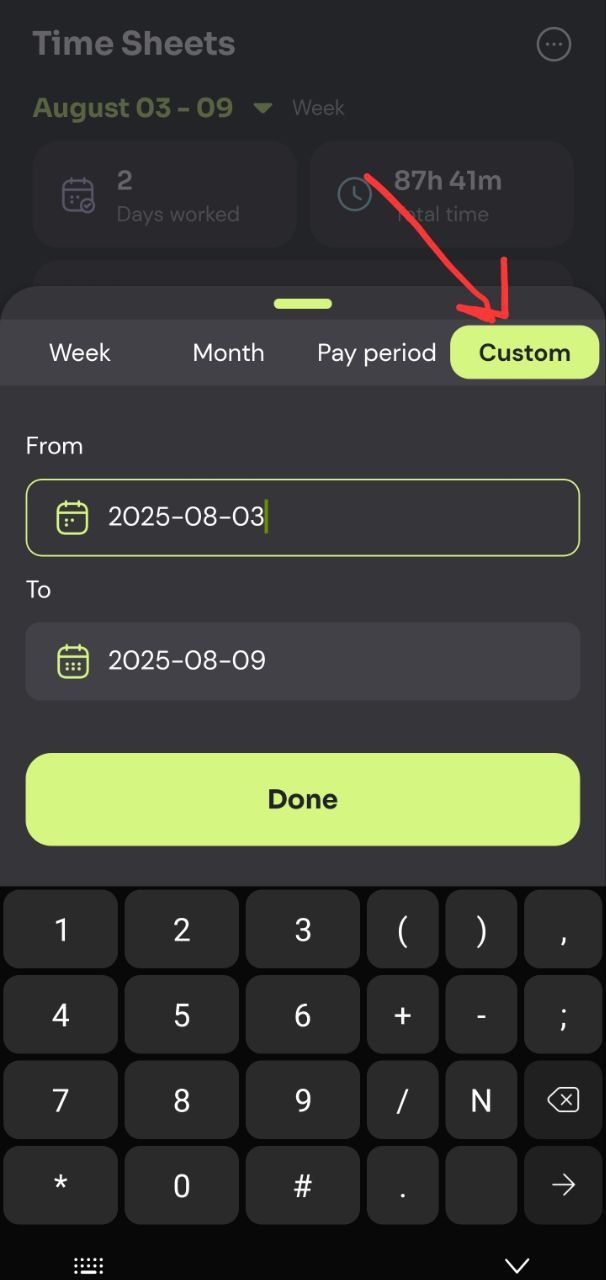
You can go as far back as you want this way and even create a report of all of your tracked times.
Project Reports
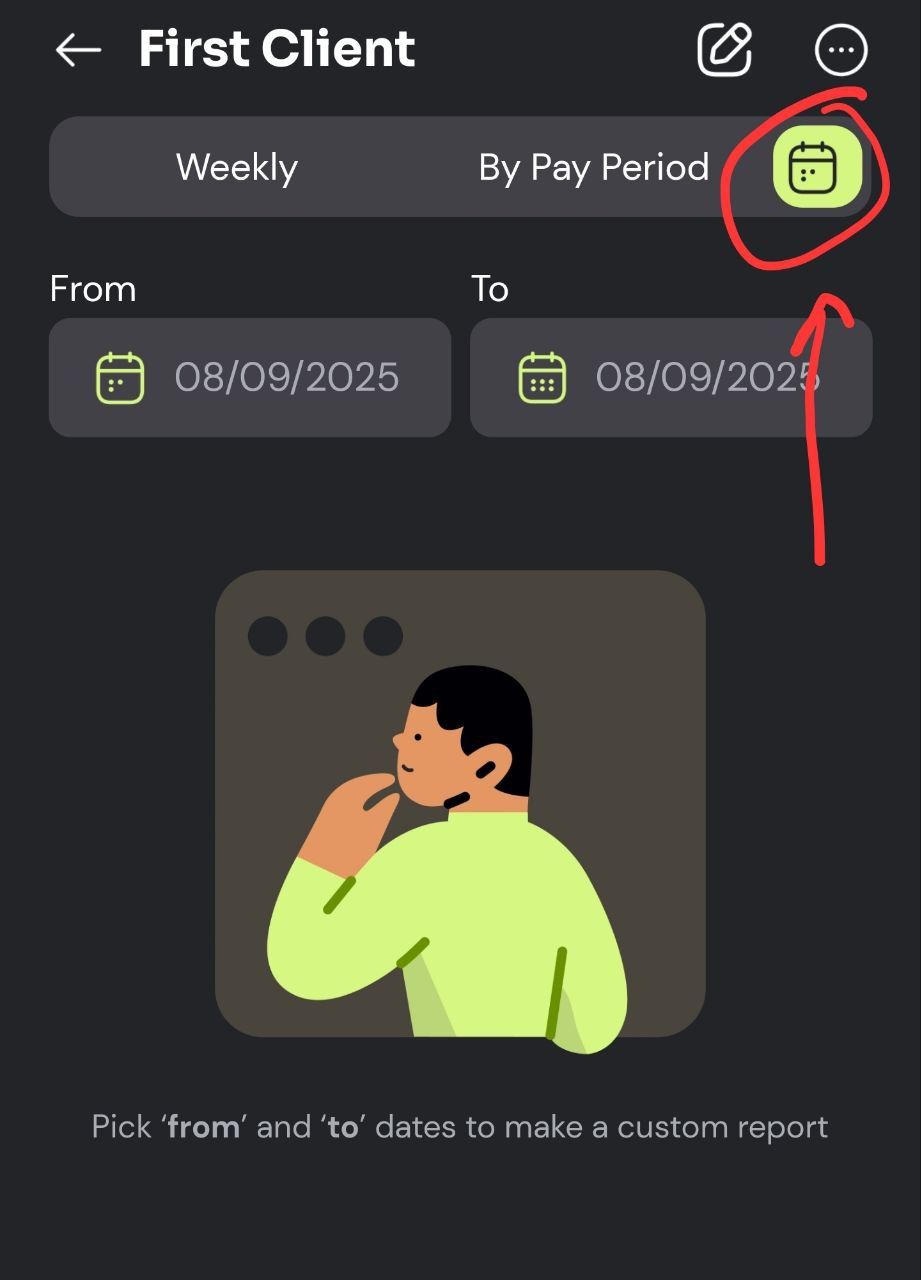
This same ‘custom’ date range exists for projects (from the Projects tab).
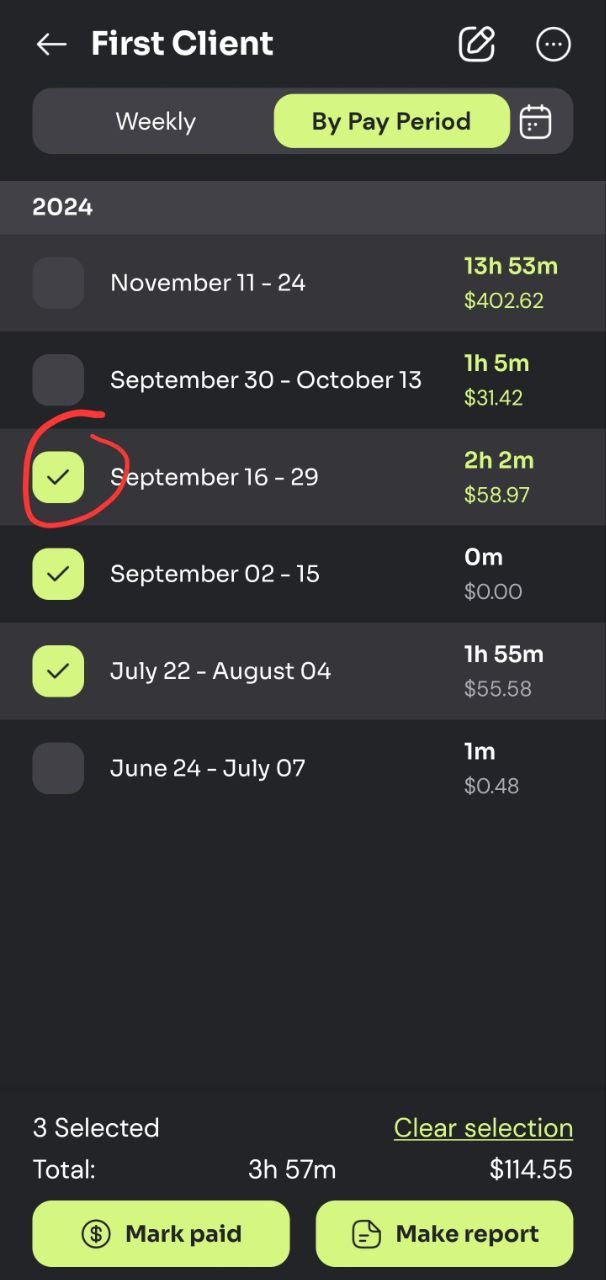
Alternatively you can select multiple rows in the project page to put together a report containing multiple weeks or pay periods:
Was this helpful?
Still need help? Share an idea