Hide Unwanted Features - Individual account
How do I get rid of some of the clutter, for things I don't use?
Last updated About 1 year ago
This guide is specific to Individual Account users.
Toggle features on or off
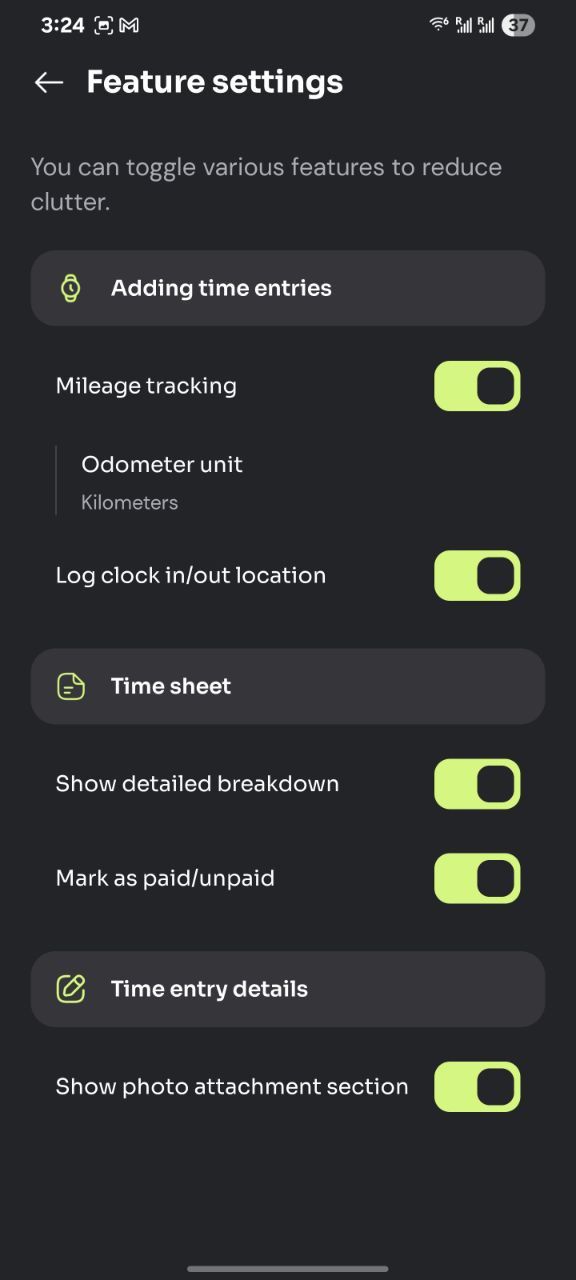
In order to hide features or components you don’t use you can:
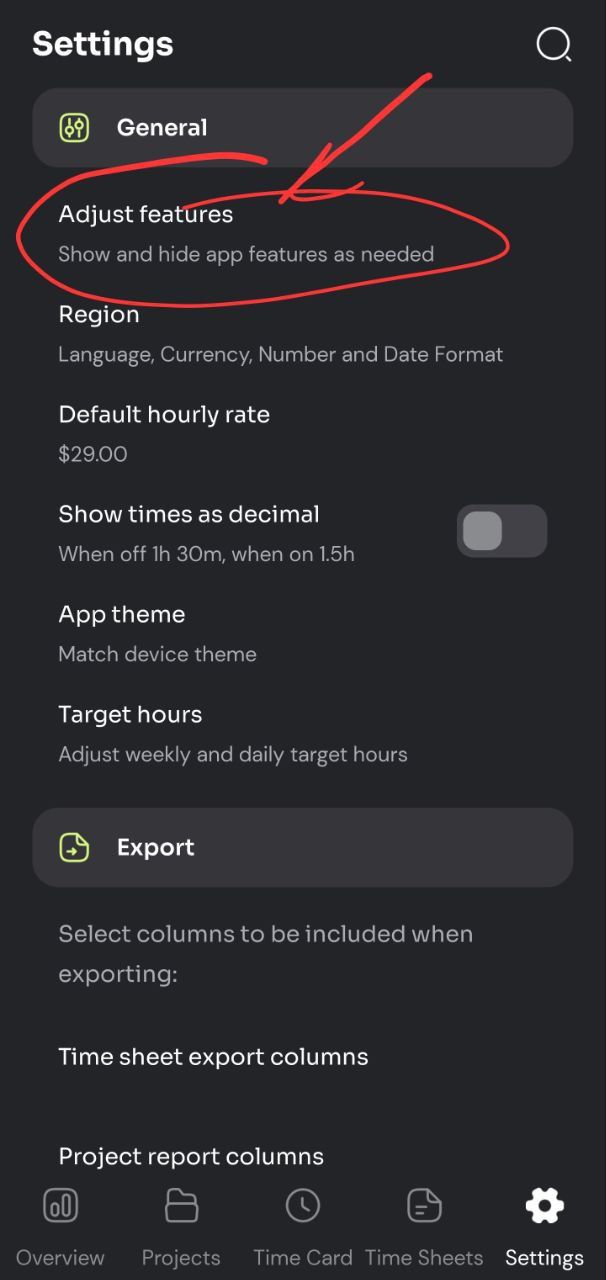
Go into the Settings tab
Near the top, select ‘Adjust features’.
How to hide extra details from the Time Sheet
If you don’t use overtime, tax, reimbursements and some of the other fields that are available, the ‘Detailed Breakdown’ section in time sheets would not be useful to you.
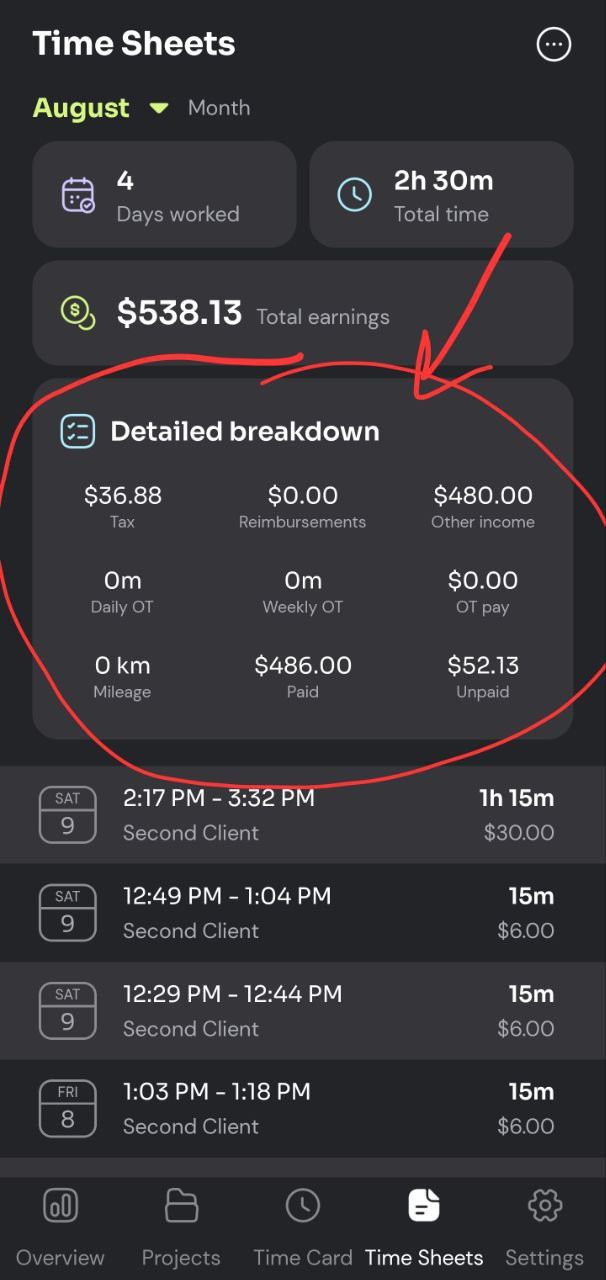
You can get rid of that whole section by turning off ‘Show detailed breakdown’ in the ‘Adjust features’ page (mentioned above).
Was this helpful?
Still need help? Share an idea