How do I add or edit taxes in my report?
Last updated 9 months ago
Taxes are set and applied for each entry. To add taxes to your report, you can use the tax section in entry details.
For example, if you want to apply a 20% tax to an entry, follow the steps below:
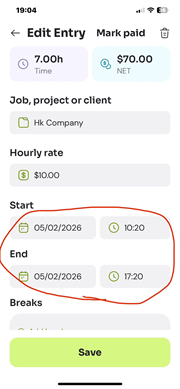
1- After you punch out from the time card tab, or when manually adding a new entry, you will see the ‘entry details’ screen (sometimes titled ‘Edit entry’, ‘Add entry’, or ‘Tracked time’). This screen shows all the details of your entry, such as ‘start’, ‘end’, ‘project’, ‘notes’, etc.
2- Scroll down till you get to the ‘Tax and withholding’ section. From there specify the Tax and withholding percentage. Then turn on the ‘Apply tax to this time entry’ checkbox.
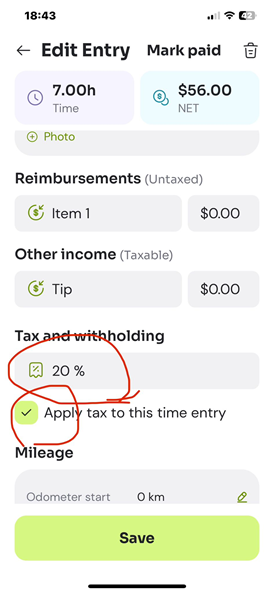
This will deduct the tax amount from the income and show the net amount in the report.
The tax rate will be saved and used for your future entries.

Please note that when you change the tax rate in a new entry it doesn’t retroactively change the rate for your past entries.
Was this helpful?
Still need help? Share an idea