Mark Times as Paid
How do I separate out times that I got paid for from the unpaid ones?
Last updated About 1 year ago
Can I mark times that I got paid for and separate them out from my unpaid times?
Yes, we have a 'mark times as paid' feature. It is currently only available to 'individual premium' accounts. If you want to mark times as paid in a team account, check out our 'Mark employees as paid' FAQ instead.
To mark times as paid or unpaid, we first make sure that the feature is turned on:
Go into Settings tab
Near the top, select 'Adjust features'
Make sure that 'Mark as paid/unpaid' is turned on.
You can mark entries as paid/unpaid one by one or a bunch at a time.
To mark a whole week/month or period as paid:
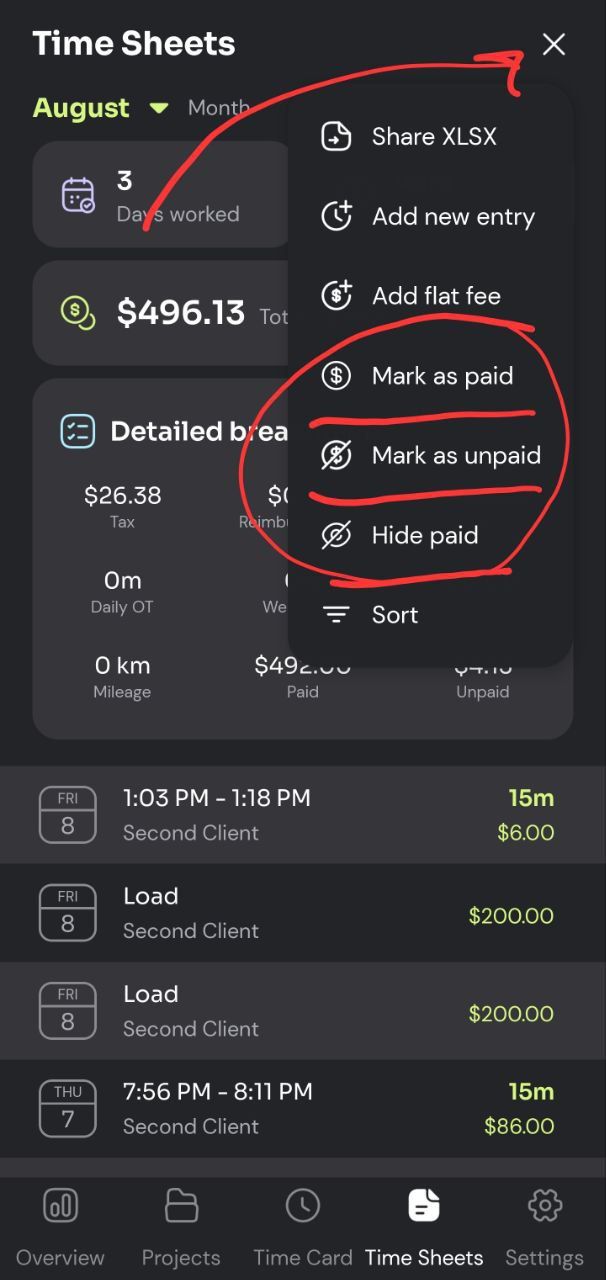
In the Time Sheet tab, navigate to a time period
Select the 'three dot' menu on the top right.
From the menu, you can select 'Mark as paid' (or unpaid).
In that menu, you also have access to 'Hide paid' which lets you hide paid times.
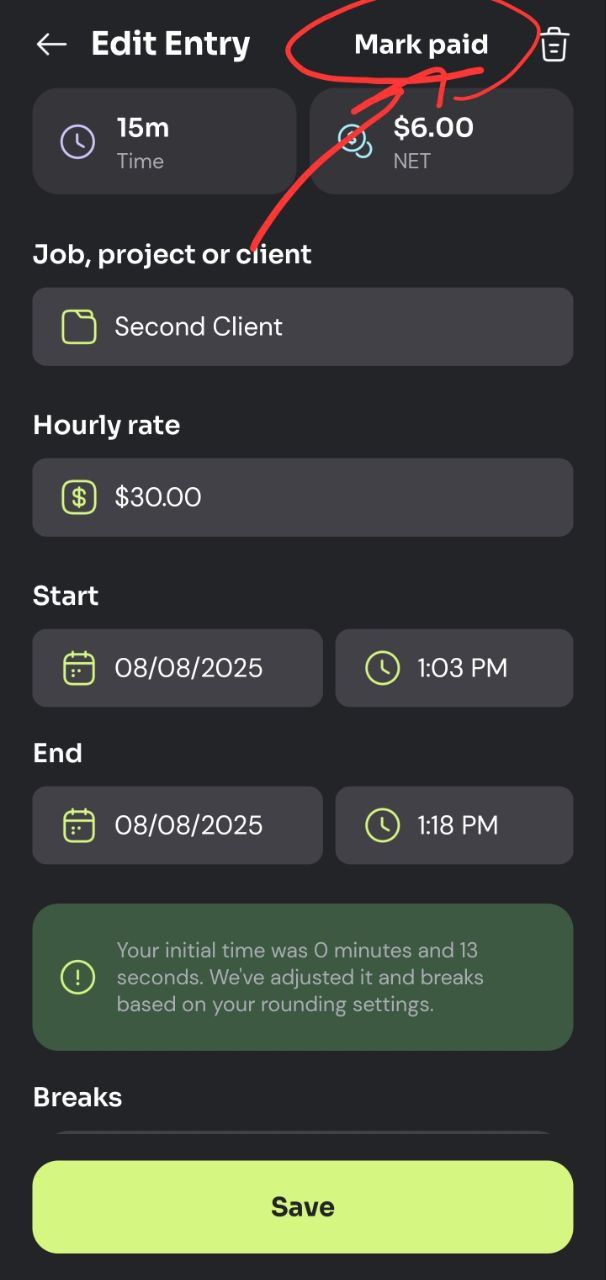
You can also individual toggle an entry (a time or flat fee) between paid or unpaid. Simply select the entry and in the details page you'll see the relevant button on the top right of the page.
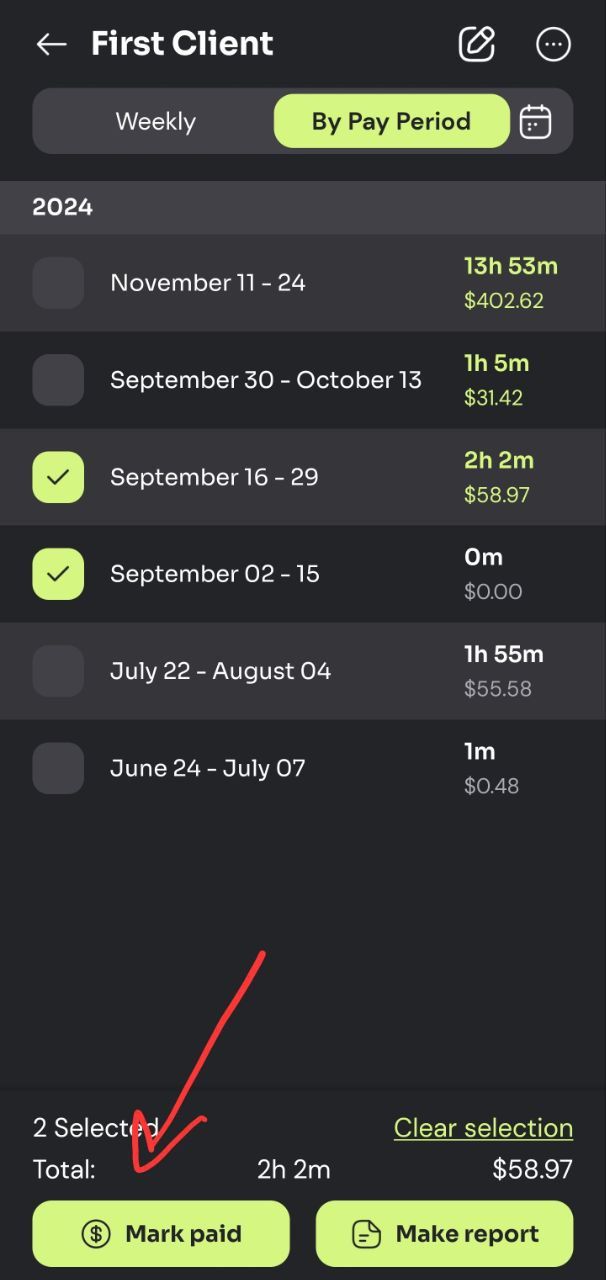
Another place where this feature comes in handy is the Projects tab.
Go to the Projects tab,
Select a desired project
Use the checkbox on the left side of each row to select one or more rows
With a row selected, you will see mark paid/unpaid buttons at the bottom of the page:
Was this helpful?
Still need help? Share an idea