Work Week or Day Targets
How do I set custom week or day targets?
Last updated About 1 year ago
I work 38.5 hours per week, 7:42 a day and would like to be able to enter that on the total working time-menu.
From the Settings tab, turn on Weekly overtime, then tap ‘OT rule’ and set 38.5 hours for weekly overtime to kick in.
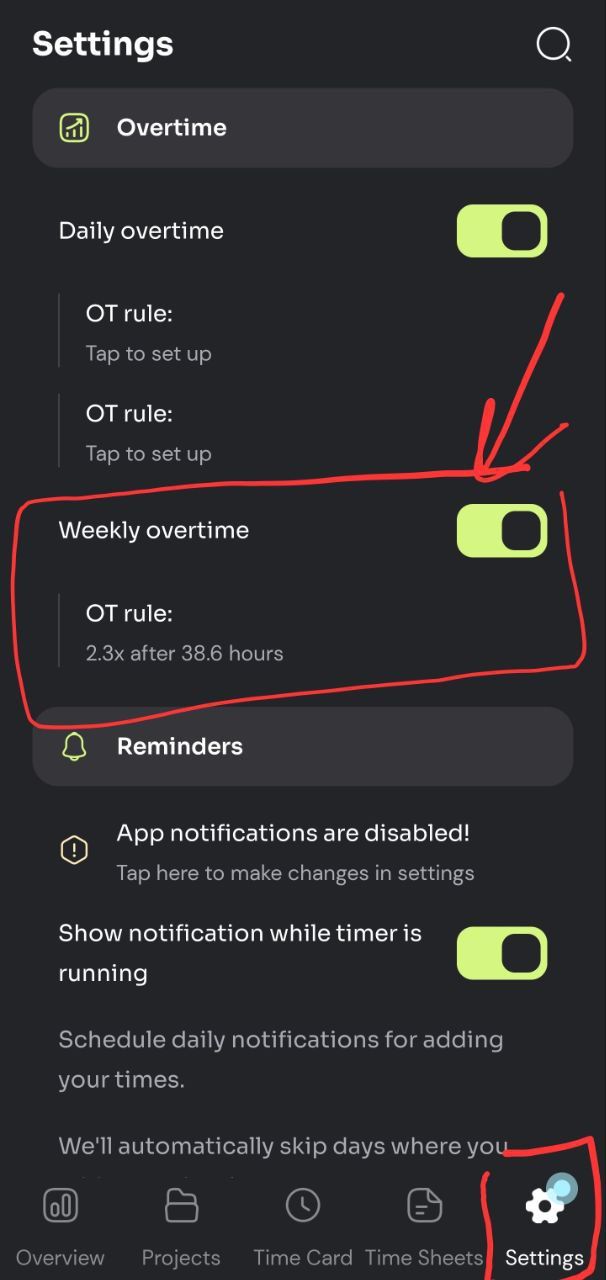
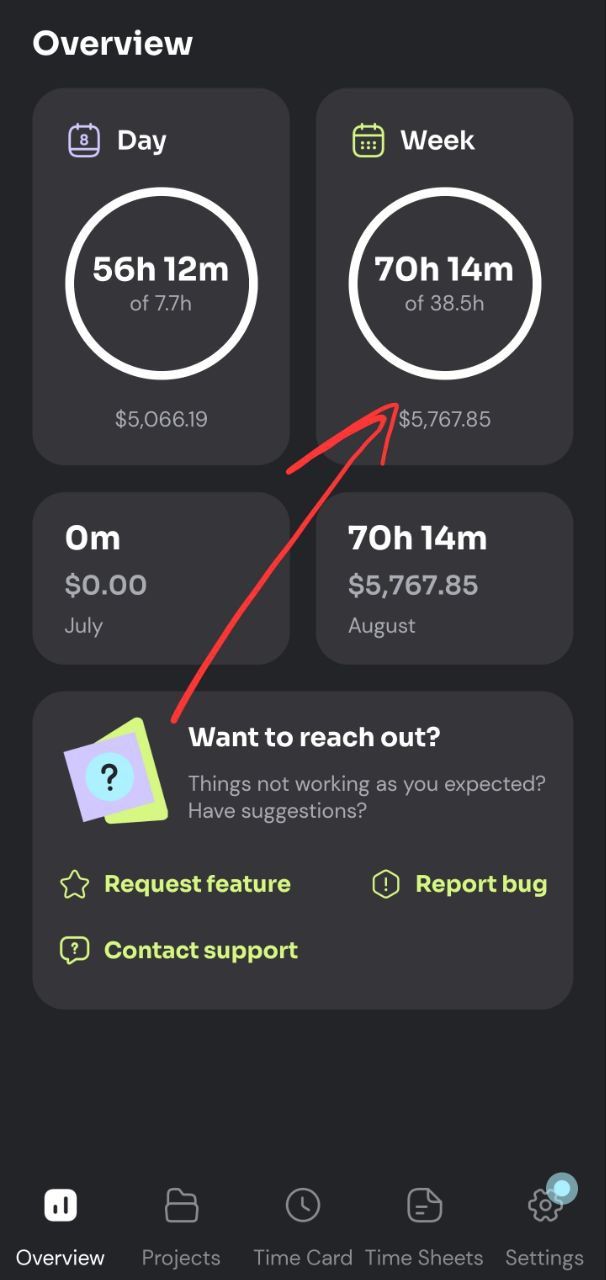
Updating that setting will also change the total work time charts shown in the Overview tab.
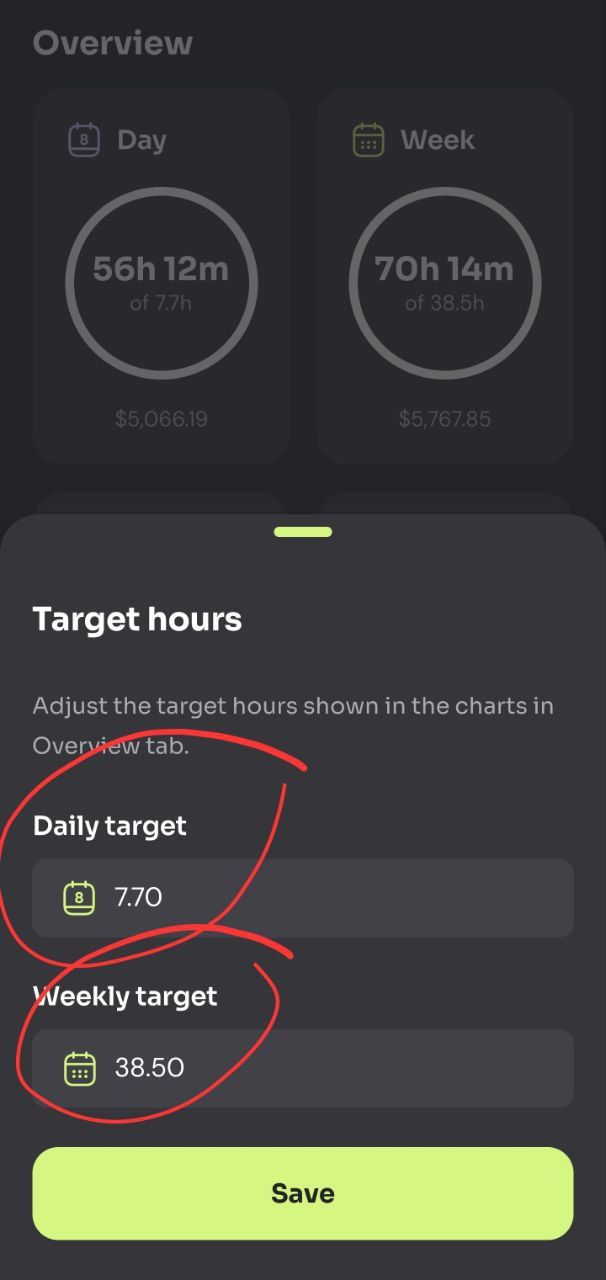
Alternatively, if you don't want to use overtime rules, you can just tap the ‘Week’ or 'Day' chart in the Overview tab to adjust your weekly and daily targets.
Was this helpful?
Still need help? Share an idea