Mark Employees as Paid
How do I check off when an employee is paid for a week or pay period?
Last updated About 1 year ago
[Team accounts only]
Is there an option to check off when the employee has been paid for the week or pay period?
On the web app you can mark employee times as paid or unpaid.
On your laptop or desktop, go to our website and login.
On the Time Sheet tab you can view your employee list (similar to Crew tab on the mobile app).
Hover your mouse on one of the employee rows and you will see the 'mark paid' and 'mark unpaid' buttons for that row.
Hitting 'mark paid' will mark that employee paid for the period you are viewing.
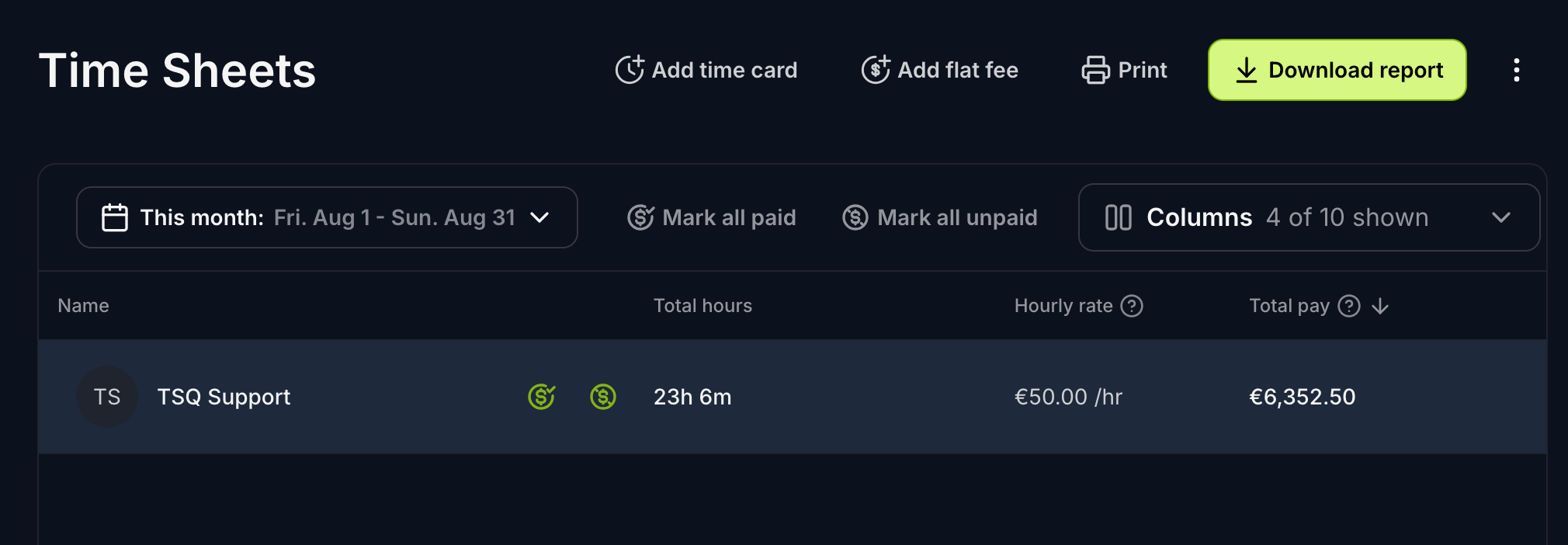
You can also do this for individual time or flat fee entries;
Select an employee to view their times. Just like before, when you hover over a row the green mark as paid/unpaid buttons will appear for that row.
Currently this feature is only available on the web app, to team accounts.
Was this helpful?
Still need help? Share an idea