How do I see my weekly report and send it to my boss?
Last updated 9 months ago
To view your weekly report or weekly time sheet on the mobile app:
Go to the Time Sheets tab
Near the top of the screen, select the green date label to open up the date picker
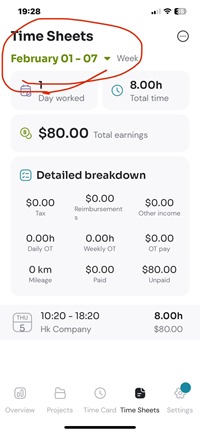
Select your desired week to view the time sheet for that week. You can follow the same procedure for monthly or pay period reports.
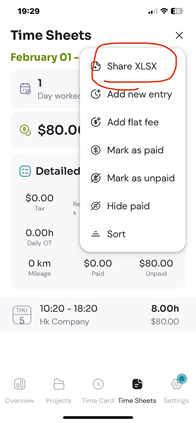
To create and send the report to your boss, click on the three-dot button options button (top right of screen), then select 'share xlsx'. This will create an Excel file.
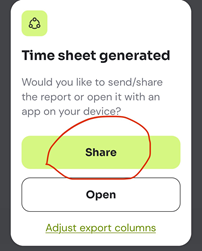
To send the report, select ‘share’ in the dialog that appears. You can send the Excel file via email or any other preferred method like Whatsapp or Google Drive.
Alternatively you can select ‘Open’ to view the report in any spreadsheet software on your device.
Read more about how to share your time sheet here.
Was this helpful?
Still need help? Share an idea